Resonance is a native Mac app for cinematic previsualization. Script, set, cast, camera, and cut. Every tool you need for the whole project, in one place, instead of stitched together across a dozen apps.
$49/MONTH PLUS TAX · macOS 26 and up · Apple silicon
Shot list
Script to final edit, without leaving the app.
One project file, one timeline, one app, engineered so each stage hands off to the next instead of exporting into someone else's. It stays light: no game engine, no render farm, just fast, legible frames you can share with your crew.
Start with the script
Import Final Draft, PDF, or text. Resonance breaks it into scenes, characters, and locations, ready to work.
Build your cast
Create characters once, from a reference or from scratch. Set wardrobe by scene and keep cast and costumes consistent across every shot.
Design the coverage
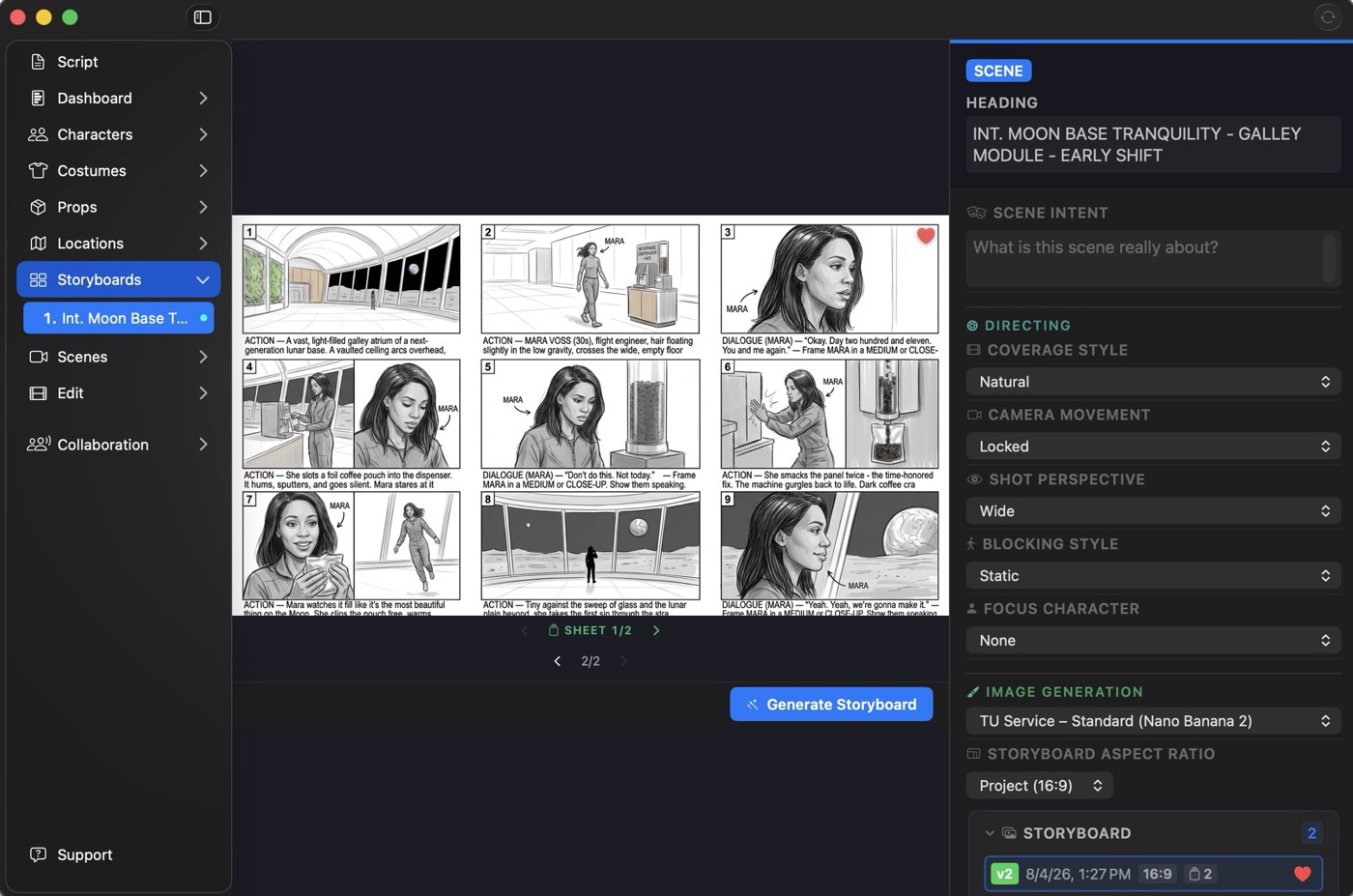
Give Resonance a scene and it proposes coverage around the action and dramatic beats. Choose an approach, refine the blocking and setups, and build your storyboard and shot list.
Build the world
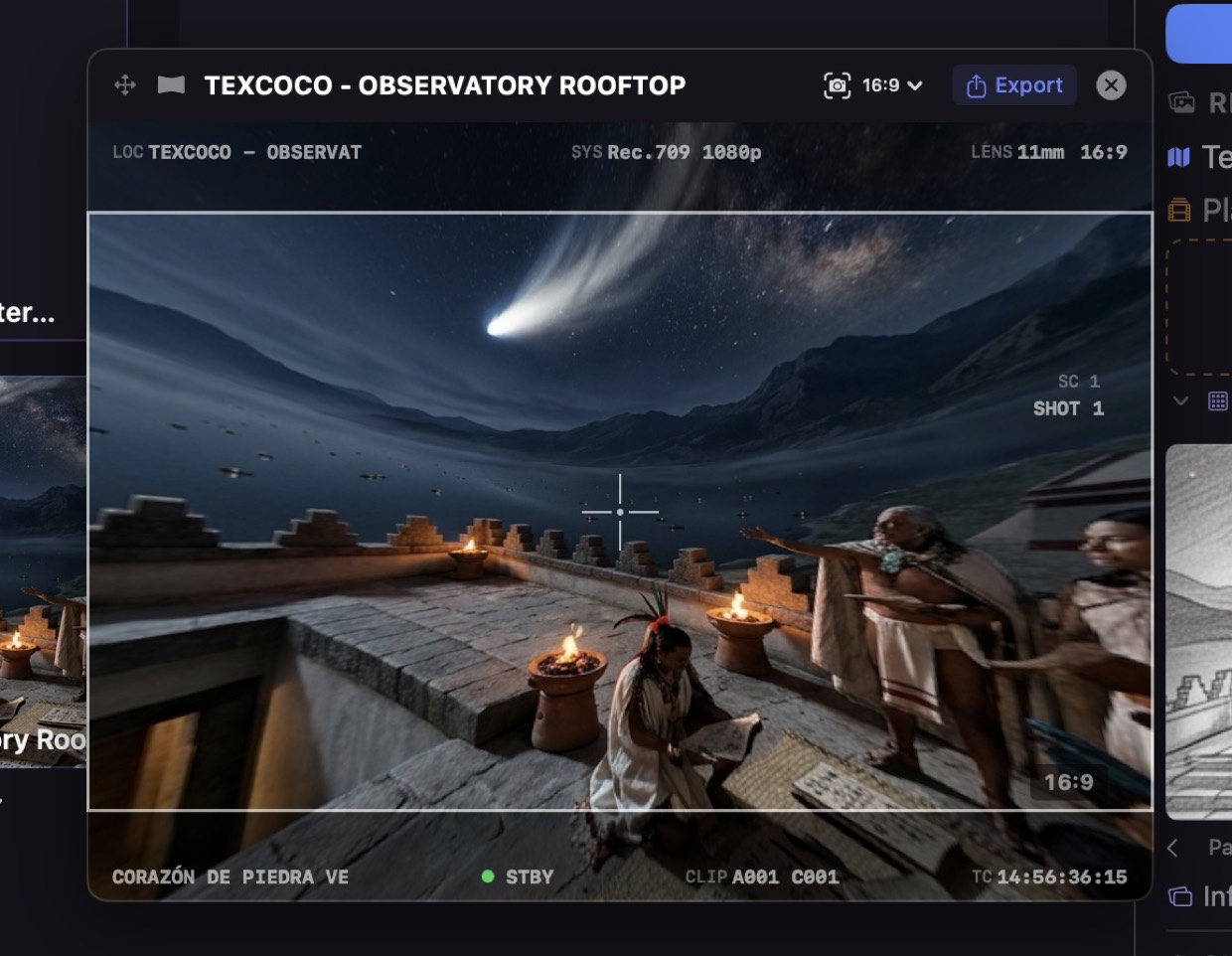
Describe a location and generate a 360° environment. Place your cast, block the scene, and explore the space in real time.
Generate the shots
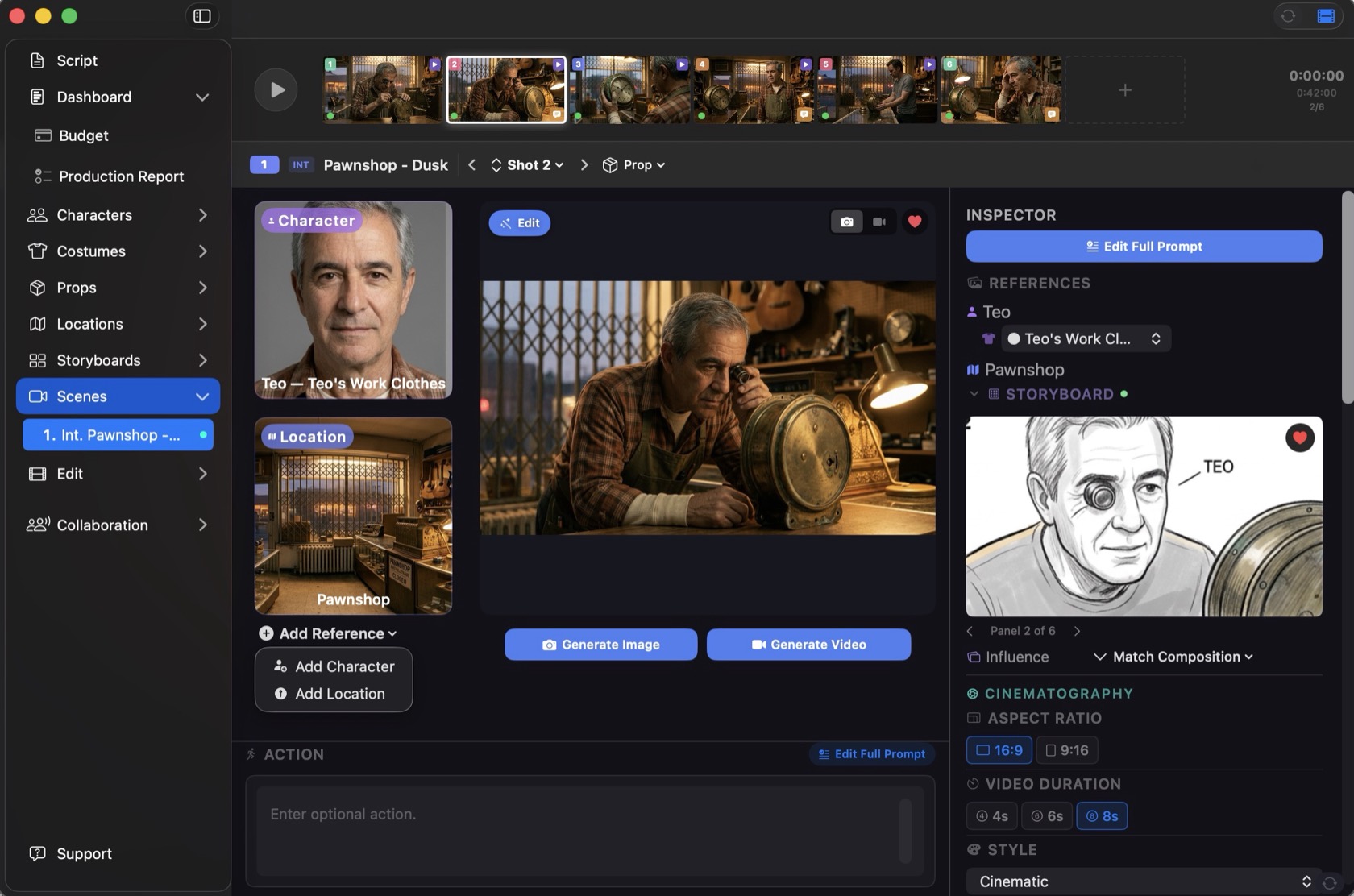
Turn setups into finished stills and video with OpenAI, Gemini, Imagen, Veo, or local models. Iterate shot by shot until the scene plays.
Cut and finish
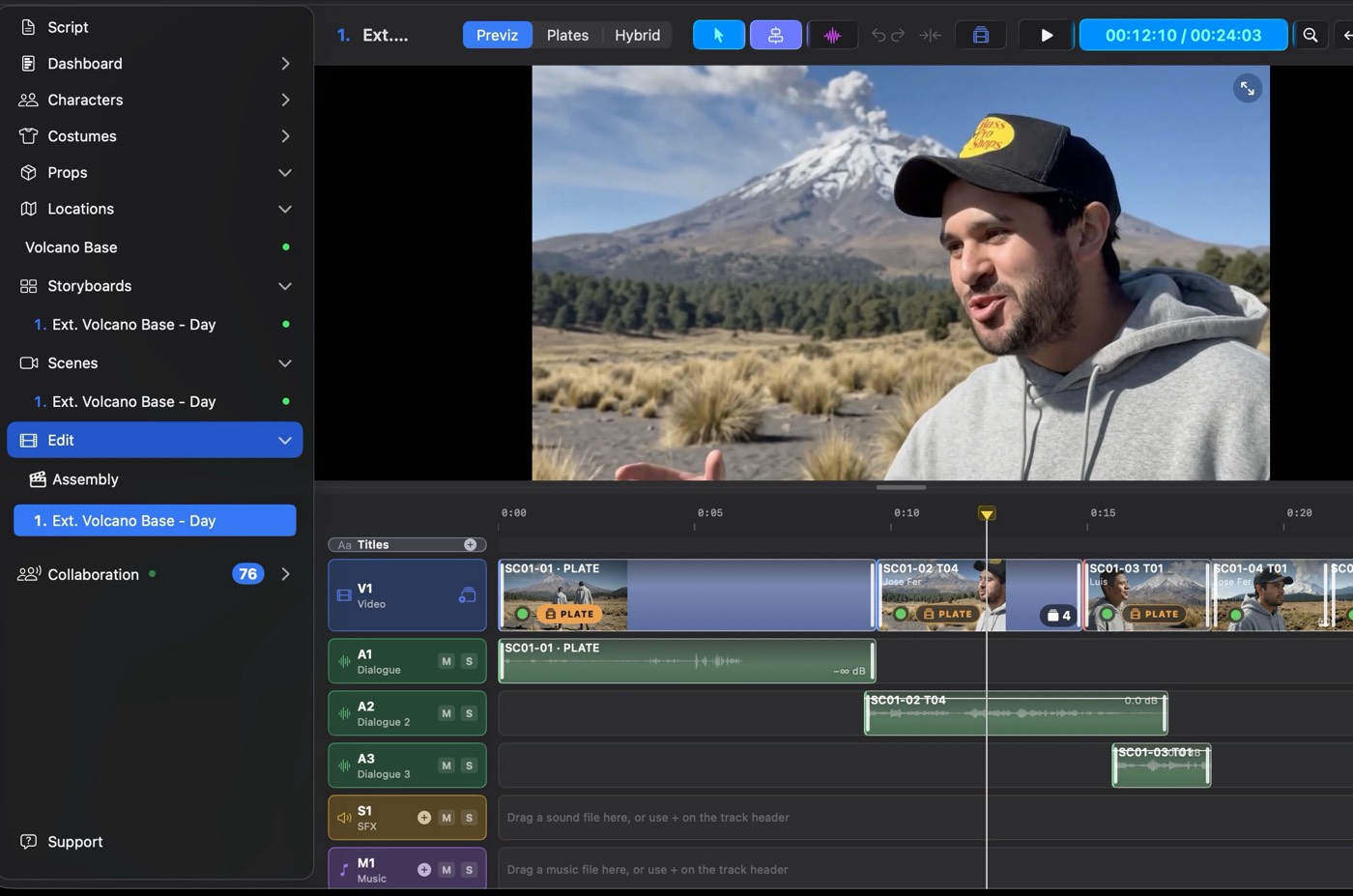
Edit directly in Resonance's professional timeline, or move your cut to Final Cut Pro or Premiere Pro for further refinement.
Inside the app
Your movie studio in a box.
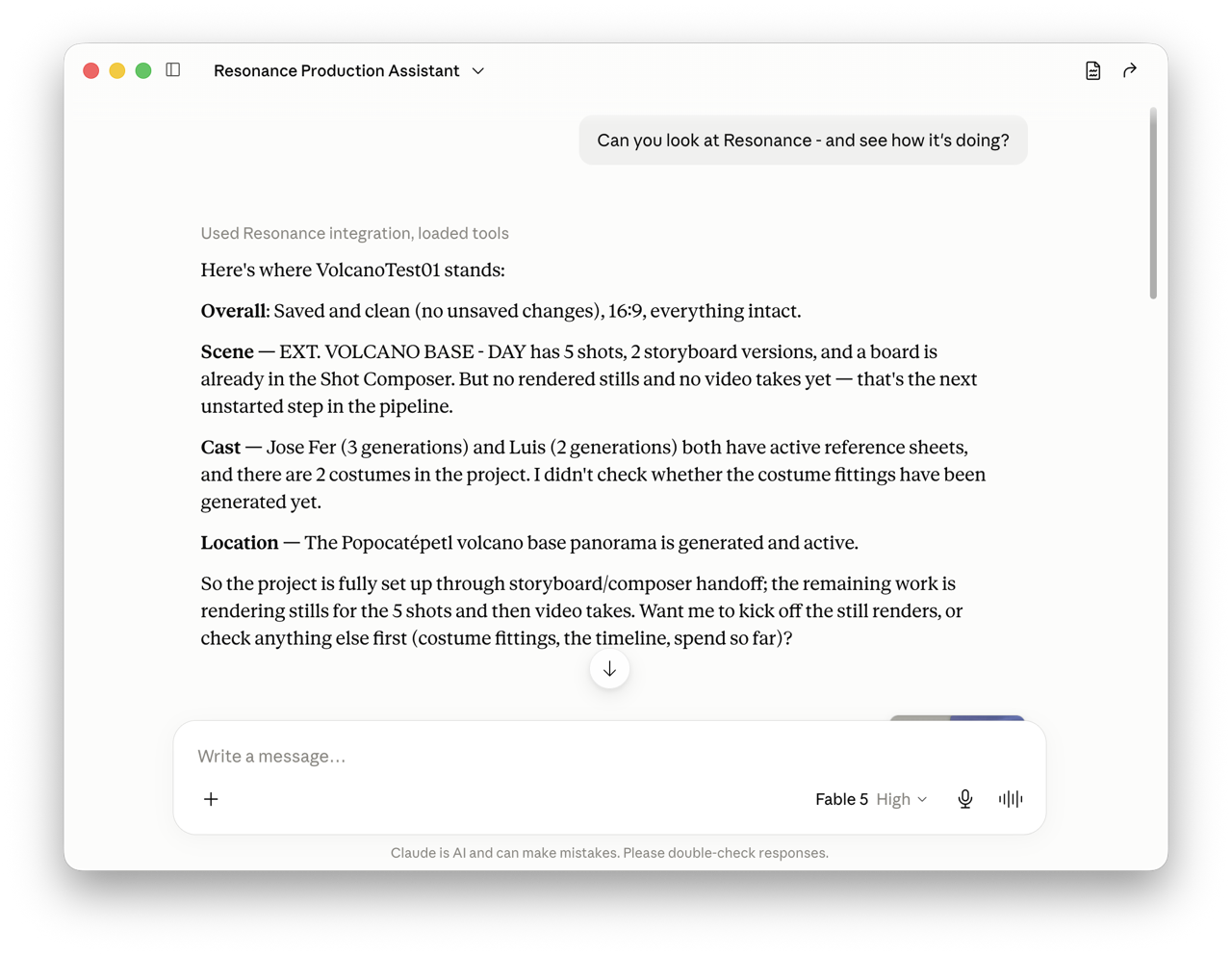
A powerful but genuinely intuitive interface, designed by and for creatives, with no VFX pipeline or engineering degree required. Be as precise as you want with a detailed prompt, or just work from the options in the inspector. Here are a few of the rooms you'll spend the most time in.
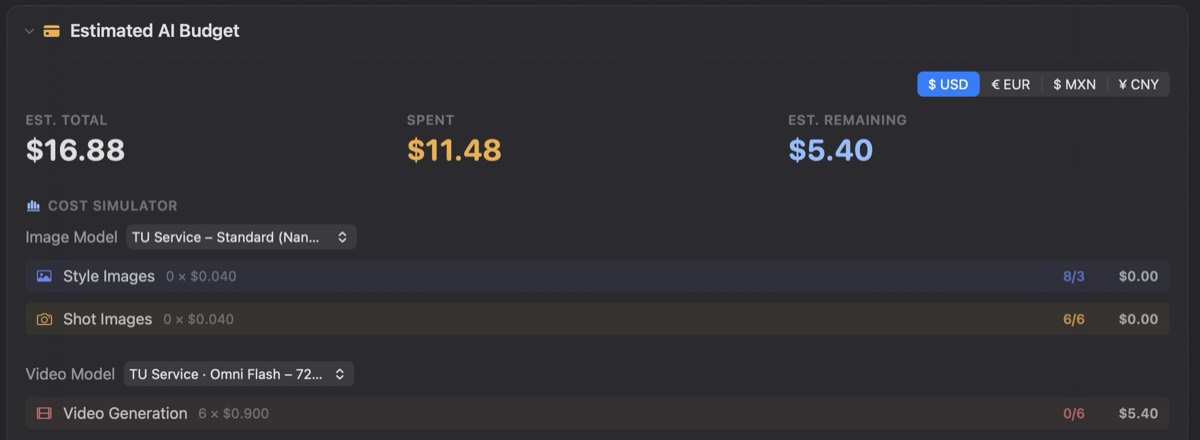
Storyboards. Turn scene intent into a full coverage board of beats, camera moves, and blocking, one panel at a time.The viewfinder. Frame a shot at a real focal length and aspect ratio and see exactly what the lens will, down to the timecode.The edit. Cut previz, live-action plates, or a hybrid of both on one timeline, with dialogue, SFX, and music included.The budget. A running tally of every cent spent, and a simulator that prices the generations still ahead, so nothing about cost catches you off guard.
Use cases
One tool, every kind of production.
Screen a polished cut for a real audience at a fraction of the cost of production. Riskier ideas get their shot, and box office disappointments get caught in development, not after the opening weekend.
Feature films
Screen a rough cut of your script for financiers and test audiences before you even have a budget.
Commercials
Win the account with a pitch that goes well beyond a moving storyboard.
Product launches
Time the reveal, the camera move, and the copy against each other while the product is still a prototype.
Broadway shows
Stage sightlines and showstopping numbers before the first rehearsal.
Student films
Shoot the scene a dozen ways in previz, then walk onto set knowing exactly what you need.
Explainer videos
Agree on script, pacing, and visuals as video, so the production pass is execution rather than negotiation.
Museum exhibit videos
Preview the piece in the room it will live in, at the ratio it will be shown at, for the committee that has to approve it.
Corporate presentations
Build the keynote's film beats early and let stakeholders react to a cut rather than a slide describing one.
Hybrid virtual production
Transform spare set footage into spectacular finished shots, built on the previs you already have.
Built for Mac
A first-class Mac app.
Built natively on macOS, from Metal to Apple Intelligence. Your projects are files on your drive: private, portable, and yours, and Resonance only reaches out when you ask it to generate something.
On-device vision analysis. Private, fast, and offline.
Secure checkout by Stripe. Your order is processed by Link, Stripe’s merchant of record, so your receipt and card statement show LINK.COM*.
Credit packs
Top up in the app when a project runs long. Packs are for subscribers, and purchased credits never expire, even if your subscription lapses.
2,500 creditsAbout 166 images, 50 five-second clips at 480p, or 33 at 720p$25
5,000 creditsAbout 333 images, 100 five-second clips at 480p, or 66 at 720p$50
Prices plus applicable tax. Counts are estimates and vary by model.
14-day money-back guarantee. Subscribe, and if Resonance isn't for you, ask for a refund within 14 days. You only pay for the credits you've used. Refund policy
PRICES IN USD, PLUS APPLICABLE TAX · MONTHLY CREDITS RESET EACH BILLING CYCLE · CHECKOUT BY STRIPE · RECEIPTS AND CARD STATEMENTS FROM LINK (LINK.COM), STRIPE’S MERCHANT OF RECORD · TERMS · REFUND POLICY · PRIVACY
Launch
Launching soon on the Mac.
Resonance is in the final stretch. Built for macOS 26 and up with Apple silicon, with 16 GB of unified memory recommended. Get on the list and you'll hear the moment it ships.
Requirements
Made for the Mac.
Resonance runs on macOS 26 and up with Apple silicon, with 16 GB of unified memory recommended. When you subscribe, we email you a link to set your password and download the app.
Ready when you are
Be there on day one.
Leave your email and you'll get the download link the day Resonance ships.
NO SPAM · UNSUBSCRIBE ANYTIME
Start your first project today.
A Resonance subscription is $49 a month, plus applicable tax, with 1,500 generation credits every month. Cancel anytime.